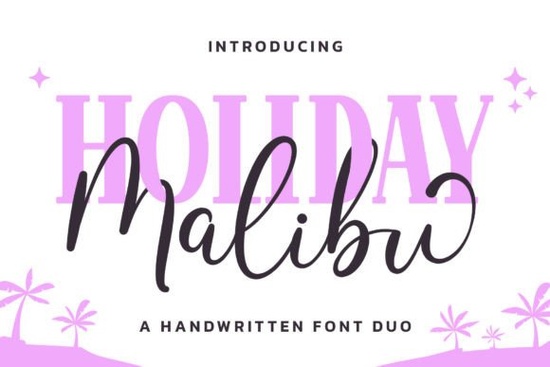
If you’re looking for a font that feels like sunshine and beach days, the Malibu Holiday Duo Font might be just what your next project needs. It’s a cheerful pair one script monoline and one serif display designed to bring a little coastal charm to invitations, kids’ products, summer branding, or even print-on-demand tees. The style leans playful but stays readable, which is great when you want personality without sacrificing clarity.
What makes this duo especially handy is how well the two fonts work together. Use the script for headlines or names where you want soft, flowing energy, and switch to the serif for supporting text or labels that need to stay grounded. They’re balanced enough that you don’t have to hunt for complementary fonts they’re built to match.
Who should consider using Malibu Holiday?
This isn’t a corporate boardroom font. It’s made for creatives who want warmth and whimsy. Think:
- Print-on-demand sellers designing summer-themed shirts, mugs, or tote bags.
- Crafters making vinyl decals, scrapbook layouts, or greeting cards with a sunny vibe.
- Small businesses in kid-focused industries think ice cream shops, toy stores, or beach rentals.
- Hobbyists who just love adding a little joy to personal projects like party invites or photo albums.
If you’ve used fonts like Hello AndyAn or Golfmind before, you’ll find Malibu Holiday sits in a similar sweet spot casual, friendly, and full of character without being overwhelming.
How easy is it to use all the extra glyphs and swashes?
One thing users appreciate is that Malibu Holiday is PUA encoded. That’s designer-speak for “you can actually use all the fancy extras without jumping through hoops.” Most design software (like Adobe Illustrator, Canva, or Affinity) will let you access alternate characters, swashes, and ligatures right from the glyph panel. No need to install separate files or dig through folders.
For example, if you type a name like “Sophia” and want the tail on the ‘a’ to swirl out longer, you can usually swap it with a single click. This kind of flexibility helps your designs feel custom, even if you’re working fast or batch-producing items.
A quick tip for crafters:
When cutting vinyl or preparing files for embroidery, stick to the simpler versions of letters unless you’re sure your machine can handle fine details. Save the swashes for digital-only uses like social posts or printable art.
How does it compare to other script fonts?
Not all script fonts play nice with real-world use. Some are so ornate they become hard to read at small sizes, or they lack matching display styles. Malibu Holiday avoids those pitfalls by keeping its script clean (monoline means consistent stroke weight) and pairing it with a sturdy serif companion.
If you’ve browsed our fancy script fonts section, you’ve probably seen dozens of options. But many of those lean formal or vintage. Malibu Holiday stands out because it’s intentionally modern, light, and beachy more flip-flops than ball gowns.
Another font with a similar relaxed energy is Rain, which also works well for casual, nature-inspired themes. But where Rain has a hand-painted texture, Malibu Holiday feels smoother and more polished better for crisp prints or digital displays.
What kinds of projects does it work best for?
Here are a few ideas to get you started:
- Summer camp flyers pair the script with bright colors and palm graphics.
- Kids’ birthday invites use the serif for dates and details, script for the child’s name.
- Beach wedding signage yes, really. Keep it simple with white-on-kraft or pastel combos.
- POD product mockups try it on water bottles, beach towels, or sun hats.
Because it’s not overly trendy, it won’t feel dated next season. The Malibu inspiration gives it a timeless California-cool vibe that works year after year for seasonal campaigns.
Any downsides to be aware of?
It’s not ideal for long paragraphs save the script for headlines and accents. Also, while the PUA encoding makes glyphs accessible, not every platform supports them equally. If you’re uploading to a site builder or POD service that strips advanced typography, test your files first. Sometimes you’ll need to convert text to outlines to preserve the look.
And if your brand voice is super minimalist or corporate, this probably isn’t your go-to. But that’s okay it wasn’t meant to be. It’s here for when you want to add a little sand-between-the-toes feeling to your work.
Ready to try it? You can grab the Malibu Holiday Duo Font directly from Creative Fabrica. It comes with both desktop and web licenses, so whether you’re designing a Shopify banner or a printable coloring book, you’re covered.
Next step: Test before you commit
Before downloading, check if your favorite design app handles PUA-encoded fonts smoothly. Open the glyph panel, type a few words, and see how easy it is to swap in alternates. If it feels intuitive, you’ll save time later. And if you’re selling physical products, do a small print or cut test first especially if you plan to use the swash-heavy versions.
 Melody Tunes Font: Creative Project Ideas
 New Fonts You Can Easily Apply Today
 Crafting Elegance with Script Font Design Styles
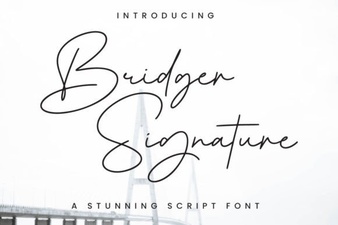 Bridger Signature Font: Design & Creative Applications
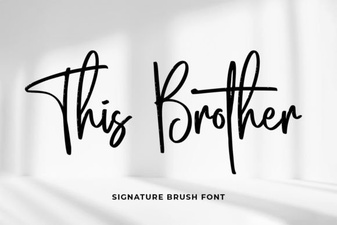 Creative Projects Using Brother Fonts
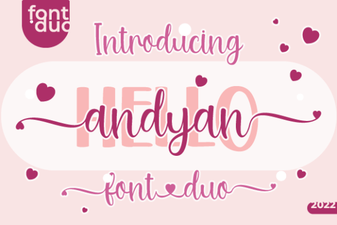 Hello Andyan Duo Font for Creative Web Projects