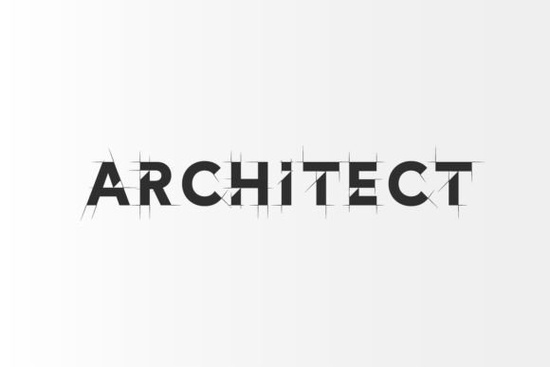
If you’re working on a project that needs clean, modern typography with an architectural edge, the Architect Font might be exactly what you’re looking for. It’s not just another serif it’s designed with deliberate geometry and crisp lines that echo blueprints, urban grids, and contemporary design studios. Whether you’re branding a boutique architecture firm, laying out a magazine spread, or creating print-on-demand merchandise with a minimalist vibe, this font brings structure without sacrificing style.
What makes Architect stand out is how it balances sharpness with readability. The letterforms feel intentional almost like they were drafted with a T-square and compass. That’s why it fits so naturally in projects tied to design, interiors, real estate, or even fashion editorials where clean aesthetics matter. You don’t need to be an architect to use it but if your audience values precision and polish, this font speaks their language.
Who should consider using Architect Font?
It’s surprisingly versatile. Here’s who benefits most:
- Graphic designers working on editorial layouts, lookbooks, or high-end branding.
- Small business owners in creative industries think interior decorators, furniture makers, or boutique developers.
- Print-on-demand sellers creating wall art, quote posters, or apparel with a modern, refined tone.
- Crafters and hobbyists who want their handmade labels, cards, or digital invitations to feel professionally designed.
Even if your project isn’t architecture-related, the font’s clarity and rhythm can elevate any design that leans into minimalism or geometric harmony. Pair it with softer sans-serifs or let it stand alone for maximum impact.
How does it compare to other modern serifs?
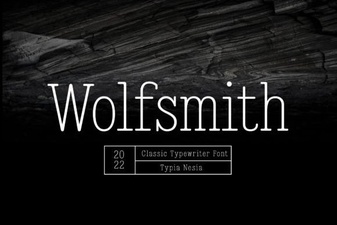
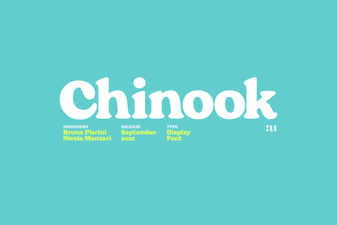
Not all serifs are created equal. If you’ve tried fonts like Chinook for its warm, hand-drawn charm or Wolfsmith for its rugged, vintage appeal, Architect offers something different: calculated elegance. Where Chinook feels organic and Wolfsmith leans rustic, Architect is precise almost engineered.
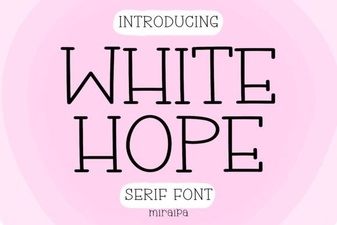
And if you’re drawn to ultra-clean fonts but find options like White Hope too delicate or airy, Architect strikes a middle ground. It has weight, presence, and enough character to hold attention without shouting. Think of it as the quiet professional in a room full of loud personalities it doesn’t need to raise its voice to be noticed.
Pairing suggestions
Architect plays well with others. Try these combos:
- Architect + a neutral sans-serif (like Inter or Helvetica Neue) for contrast and balance.
- Architect + bold geometric display fonts for headlines that demand attention.
- Architect solo in all caps for logos or signage it holds up beautifully at large sizes.
Where can I see it in action?
You can preview how Architect looks across weights and styles directly on Creative Fabrica: Architect Font. Seeing it applied to mockups business cards, packaging, social media banners helps you imagine how it’ll work in your own context. Don’t skip this step. Typography is visual, and what reads well on paper might not translate to screen (or vice versa).
Is it beginner-friendly?
Absolutely. The font files come in standard formats (OTF, TTF, WOFF), so whether you’re using Canva, Adobe apps, Silhouette Studio, or Cricut Design Space, installation is straightforward. No special plugins or coding required. And because the letterforms are so clear and consistent, even new designers can achieve polished results without wrestling with spacing or alignment issues.
One tip: avoid using it at very small sizes (below 10pt) in print. Those fine edges can blur or disappear. But for anything above that posters, headers, product tags it performs reliably.
What file types and licenses come with it?
When you download Architect, you’ll typically get desktop and web-ready files, plus a commercial license. That means you’re covered for client work, physical products, digital templates, and even merch sold on Etsy or Shopify. Always double-check the license terms after purchase, but Creative Fabrica’s standard offerings are generous for indie creators and small studios.
If you’re comparing it to similar fonts like Architect (yes, same name, different designer always check the foundry!), make sure you’re getting the version that includes multiple weights or stylistic alternates if those matter to your workflow.
Quick checklist before you buy
- ✅ Does your project need a clean, structured serif?
- ✅ Will it be used mostly in headlines, logos, or large-format print?
- ✅ Do you prefer fonts that pair easily with modern sans-serifs?
- ✅ Are you okay with avoiding ultra-tiny text sizes?
If you answered yes to most of these, Architect Font is likely a smart addition to your toolkit. It won’t suit every mood sometimes you need warmth, whimsy, or grit but when you want clarity with character, it delivers quietly and confidently.
Next step: Open your current project. Swap in Architect for your headline or logo text. See how it changes the tone. Sometimes the best way to know if a font fits is to try it where it matters.
 Design Your Project with White Hope Font
 Wolfsmith Font: Crafting Bold Digital Designs
 Chinook Font: a Design Guide for Creative Projects
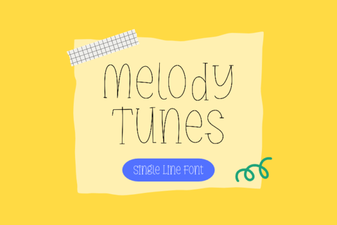 Melody Tunes Font: Creative Project Ideas
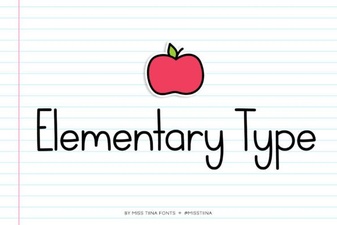 Elevate Your Design with Elegant Typography
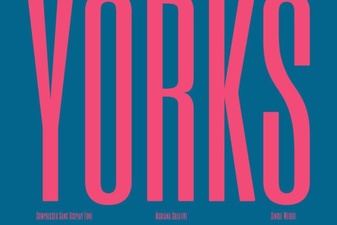 Yorks Font: Modern Typography for Design Projects